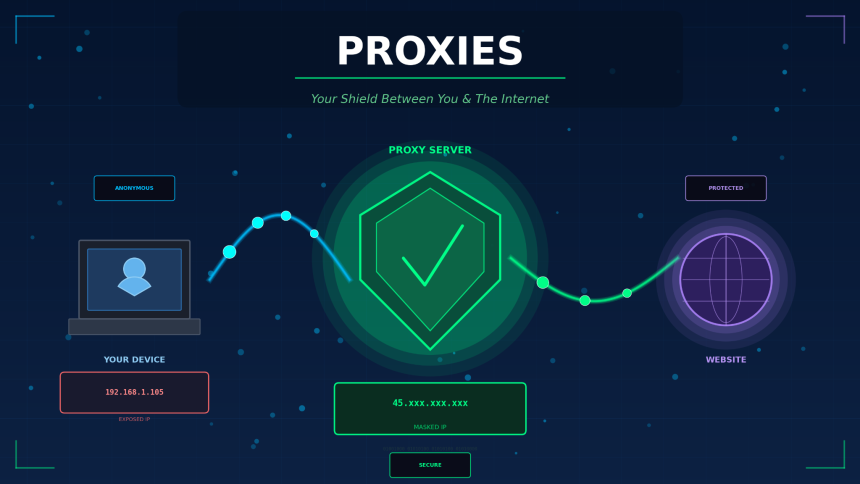
Proxies are intermediary servers that sit between a user’s device and the internet. When you send a request to a website, a proxy server receives that request first, forwards it to the target server on your behalf, and then returns the response back to you. This process masks your original IP address and replaces it with the proxy’s own IP.
Businesses, developers, and individual users rely on proxies for a wide range of tasks, from web scraping and ad verification to bypassing geo-restrictions and protecting online privacy. The proxy market has grown significantly over the past few years as data collection, cybersecurity, and digital privacy have become top priorities for organizations of all sizes.
This guide breaks down the different types of proxies, explains how they function at a technical level, and helps you decide which option makes sense for your specific use case.
Definition: what is a proxy server
A proxy server is a computer system or application that acts as a gateway between an end user and the internet. It intercepts outgoing requests, processes them, and communicates with the destination server using its own IP address.
Proxy servers operate at different layers of the networking stack. Some work at the application layer (HTTP/HTTPS proxies), while others function at the transport layer (SOCKS proxies). The level at which a proxy operates determines its speed, compatibility, and range of supported protocols.
How proxies work: a step-by-step breakdown
Understanding the mechanics behind proxy connections helps you pick the right setup for your project. Here is what happens each time a proxied request is made:
- You send a request (e.g., visiting a URL) from your browser or application.
- The request hits the proxy server instead of going directly to the target website.
- The proxy evaluates the request, applies any configured rules (filtering, caching, header modification), and forwards it to the destination.
- The target server responds to the proxy’s IP address, not yours.
- The proxy relays the response back to you.
Because the target server only sees the proxy’s IP, your real location and identity stay hidden. This is the fundamental principle behind every proxy type.
Types of proxies
Not all proxies are built the same way. The source of the IP address, the protocol used, and the level of anonymity all vary between proxy types. Below is a breakdown of the most common categories.
Residential proxies
Residential proxies use IP addresses assigned by Internet Service Providers (ISPs) to real household devices. Because these IPs belong to genuine residential connections, websites treat traffic from residential proxies as regular user activity. This makes them extremely effective for tasks where detection avoidance matters, such as web scraping, sneaker botting, and market research.
Datacenter proxies
Datacenter proxies come from cloud hosting providers and data centers rather than ISPs. They are fast, affordable, and available in bulk. The trade-off is that their IP ranges are easier for websites to identify and block. They work well for high-volume tasks that don’t require a residential footprint, like SEO monitoring or price aggregation.
Mobile proxies
Mobile proxies route traffic through IP addresses assigned by mobile carriers (3G, 4G, 5G). Since mobile IPs are shared among thousands of users through carrier-grade NAT, they carry a high trust score. Websites are reluctant to block mobile IPs because doing so would affect large numbers of legitimate users.
ISP proxies (static residential)
ISP proxies combine the speed of datacenter infrastructure with the legitimacy of residential IPs. They are hosted in data centers but registered under ISPs, giving them the appearance of residential addresses with faster connection speeds.
Proxy type comparison table
Choosing between proxy types can be confusing without a clear side-by-side view. The table below highlights the key differences across speed, cost, anonymity, and common applications.
| Feature | Residential | Datacenter | Mobile | ISP (static residential) |
| IP source | Real household devices | Cloud/data centers | Mobile carriers | Datacenter-hosted, ISP-registered |
| Speed | Moderate | Very fast | Variable | Fast |
| Anonymity level | High | Medium | Very high | High |
| Detection risk | Low | Higher | Very low | Low |
| Cost | Higher (per GB) | Low | Highest | Moderate |
| Best for | Scraping, ad verification | Bulk tasks, SEO tools | Social media, app testing | Account management, e-commerce |
| IP rotation | Yes (rotating pools) | Optional | Automatic (carrier NAT) | No (static) |
Common use cases for proxies
Proxies serve practical purposes across dozens of industries. Here are the most widely adopted applications and why each one depends on proxy infrastructure.
Web scraping and data collection
Large-scale data extraction requires rotating IP addresses to avoid rate limits and IP bans. Proxies distribute requests across thousands of IPs, making it possible to gather pricing data, product listings, or public records without interruption.
Ad verification
Advertisers use proxies to verify that their ads appear correctly in different geographic regions. By routing traffic through proxies located in specific countries, ad teams can confirm placement, detect fraud, and monitor competitor campaigns.
Brand protection and market research
Companies monitor unauthorized resellers, counterfeit listings, and trademark violations by scanning marketplaces through proxy networks. Without proxies, these monitoring tools would be blocked within minutes.
Privacy and security
Individual users and organizations use proxies to add a layer of separation between their devices and the open internet. This reduces exposure to tracking, targeted advertising, and certain types of cyberattacks.
Proxies vs. VPNs: what is the difference
Proxies and VPNs both mask your IP address, but they do it in fundamentally different ways. Understanding the distinction is necessary before deciding which tool fits your workflow.
| Criteria | Proxy | VPN |
| Encryption | Usually none (unless HTTPS) | Full end-to-end encryption |
| Scope | Application-level (browser, tool) | System-wide (all traffic) |
| Speed | Generally faster | Slightly slower (encryption overhead) |
| Anonymity | IP masking only | IP masking + encrypted tunnel |
| Use case | Scraping, automation, geo-targeting | Privacy, secure browsing, remote access |
| Cost | Pay per IP/GB | Flat monthly subscription |
A proxy is the better choice when you need speed, IP rotation, and application-specific routing. A VPN is more appropriate when full-device encryption and privacy are the priority.
Final thoughts on using proxies
The proxy industry continues to evolve as websites become smarter about detecting automated traffic and users demand stronger privacy tools. Whether you’re collecting competitive intelligence, verifying ads across markets, or protecting your online identity, the right proxy setup gives you the access and anonymity your work requires.
Start by identifying your primary use case, match it to the proxy type that fits best using the comparison table above, and test a provider with a small plan before scaling up.

Lynn Martelli is an editor at Readability. She received her MFA in Creative Writing from Antioch University and has worked as an editor for over 10 years. Lynn has edited a wide variety of books, including fiction, non-fiction, memoirs, and more. In her free time, Lynn enjoys reading, writing, and spending time with her family and friends.