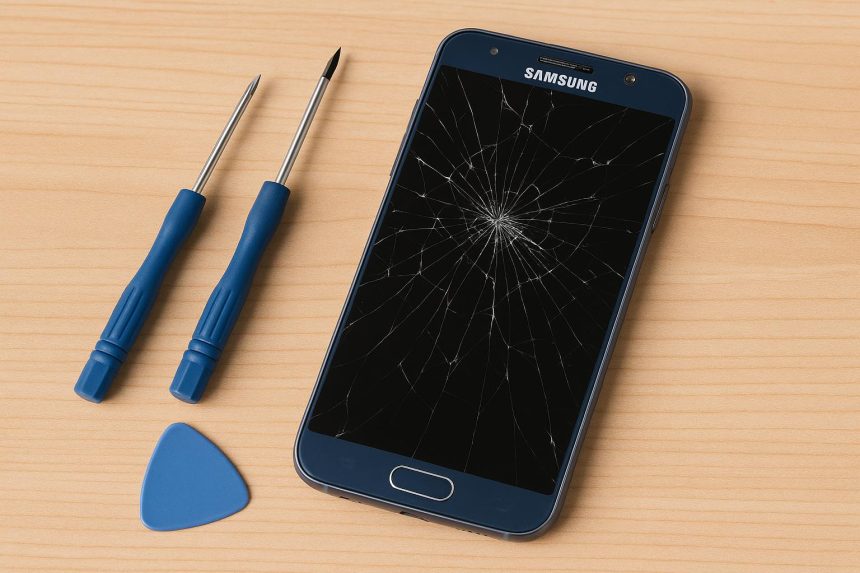
Smartphones are central to daily life, and when a Samsung device screen cracks or malfunctions, it can feel urgent and frustrating. Whether you own a flagship Galaxy S series phone or a budget-friendly A series model, understanding your samsung repair options helps you make the smartest decision.
In this detailed guide, we’ll explore the causes of screen damage, professional and DIY samsung screen repair options, cost considerations, and expert prevention tips.
1. Why Samsung Screens Get Damaged
Common Causes of Screen Damage
Even though Samsung devices are known for durability and premium displays, screen damage still happens. The most common causes include:
- Accidental drops onto hard surfaces
- Pressure damage from tight pockets or sitting on the device
- Water exposure despite water resistance ratings
- Thermal stress from extreme heat or cold
- Manufacturing defects (rare but possible)
Samsung’s curved-edge designs and ultra-thin builds, while visually impressive, can also increase vulnerability if dropped without protection.
2. Understanding Samsung Screen Technology
Samsung Electronics is widely recognized for leading smartphone display innovation. Most modern Samsung phones use AMOLED (Active Matrix Organic Light Emitting Diode) technology rather than traditional LCD screens.
AMOLED vs. LCD Displays
AMOLED Screens:
- Deeper blacks and vibrant colors
- Better energy efficiency
- Thinner and more flexible (used in foldable devices)
- More expensive to repair
LCD Screens:
- More affordable
- Less color contrast
- Typically found in older or entry-level models
Popular devices using advanced AMOLED displays include:
- Samsung Galaxy S23
- Samsung Galaxy Z Fold5
- Samsung Galaxy A54
Because AMOLED panels integrate the display and digitizer into one unit, samsung screen repair can be more complex and costly compared to older models.
3. Signs You Need a Samsung Screen Repair
Not all damage is immediately obvious. Here are clear signs your device may need professional samsung repair:
Visible Damage
- Cracked or shattered glass
- Black spots spreading across the display
- Discoloration or vertical lines
- Flickering screen
Touchscreen Issues
- Unresponsive areas
- Ghost touches (random screen activity)
- Delayed or inaccurate touch response
Even small cracks can worsen over time, allowing dust and moisture inside the device. Addressing damage early can prevent more expensive internal repairs.
4. Samsung Screen Repair Options
When your screen is damaged, you typically have three main samsung repair options.
4.1 Official Samsung Repair Services
Going directly through Samsung offers several advantages:
- Genuine original parts
- Certified technicians
- Maintained water resistance (in most cases)
- Warranty protection
Samsung provides in-store repairs, mail-in services, and authorized service centers worldwide.
Pros:
- High-quality replacement parts
- Warranty-safe repairs
- Professional diagnostic testing
Cons:
- Higher cost
- Possible wait times
For newer premium devices like the Galaxy S and Z series, official samsung screen repair is often the safest option.
4.2 Third-Party Repair Shops
Independent repair shops may offer:
- Lower prices
- Faster turnaround
- Local convenience
However, risks can include:
- Non-original parts
- Loss of warranty
- Reduced water resistance
If choosing this route, look for technicians with strong reviews and experience specifically with Samsung AMOLED displays.
4.3 DIY Samsung Screen Repair
Some users attempt DIY samsung screen repair using online kits. While this can save money, it carries significant risk.
Challenges include:
- Fragile OLED panels
- Strong adhesive bonding
- Specialized heating tools required
- Risk of damaging fingerprint sensors or internal cables
DIY repair is generally recommended only for experienced technicians. For most users, professional samsung repair is safer and more reliable.
5. Cost of Samsung Screen Repair
The cost of samsung screen repair varies widely depending on several factors.
Factors Affecting Cost
- Device model
- Screen type (AMOLED vs LCD)
- Labor rates in your region
- Whether the frame is damaged
- Warranty or Samsung Care+ coverage
Estimated Price Ranges
- Flagship models (Galaxy S series): Higher-end pricing
- Mid-range models (Galaxy A series): Moderate cost
- Foldable devices: Significantly higher due to complex flexible displays
Foldable phones like the Galaxy Z series can be particularly expensive to repair due to advanced hinge and flexible display systems.
6. How Professional Screen Replacement Works
Understanding the repair process helps you know what you’re paying for.
- Diagnostic Assessment – Technician evaluates display and internal components.
- Device Disassembly – Heating tools loosen adhesive safely.
- Screen Removal – Damaged panel is carefully detached.
- Frame Inspection – Structural integrity checked.
- New Display Installation – Genuine replacement installed.
- Resealing & Testing – Water resistance sealing and performance testing.
Professional samsung repair services ensure proper calibration and quality testing before returning your device.
7. Tips to Prevent Future Screen Damage
Prevention is always more affordable than samsung screen repair.
Use Protective Accessories
- Tempered glass screen protectors
- Shock-absorbing cases
- Raised-edge protective covers
Practice Safe Handling
- Avoid placing your phone face-down
- Keep away from extreme temperatures
- Don’t store in tight back pockets
- Keep devices dry even if water-resistant
A small investment in protection can significantly extend your device’s lifespan.
8. Repair vs. Replace: Which Is Better?
Sometimes it makes more financial sense to replace your phone rather than invest in expensive samsung repair.
Consider Repair If:
- The device is under warranty
- The phone is less than two years old
- The repair cost is less than half the device’s value
Consider Replacement If:
- Repair cost is extremely high
- Multiple components are damaged
- The device is outdated and slowing down
Always back up your data before proceeding with any samsung screen repair to avoid data loss.
9. Frequently Asked Questions
How long does samsung screen repair take?
Most repairs take between 1–3 hours in-store, though mail-in services may take several days.
Will repair affect water resistance?
If repaired by an authorized service center, water resistance is typically restored. Third-party repairs may not guarantee this.
Does warranty cover cracked screens?
Standard warranties usually do not cover accidental damage, but Samsung Care+ plans may provide discounted samsung repair options.
Is repairing an older Samsung phone worth it?
It depends on the device’s age, performance, and repair cost compared to buying a new phone.
10. Final Thoughts
A damaged screen doesn’t mean your device is beyond saving. With multiple samsung repair options available—official service centers, third-party shops, and DIY kits—you can choose the solution that fits your budget and comfort level.
However, for premium AMOLED devices and foldable models, professional samsung screen repair is typically the safest and most reliable route. Investing in quality repair today can extend your device’s lifespan and protect your data, performance, and overall user experience.

Lynn Martelli is an editor at Readability. She received her MFA in Creative Writing from Antioch University and has worked as an editor for over 10 years. Lynn has edited a wide variety of books, including fiction, non-fiction, memoirs, and more. In her free time, Lynn enjoys reading, writing, and spending time with her family and friends.