


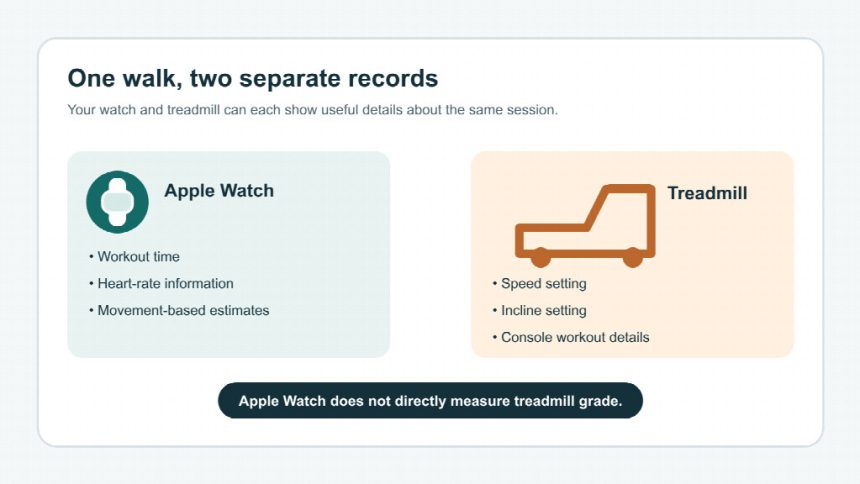
An Apple Watch can log an indoor walk on an incline treadmill, but its own sensors do not measure treadmill grade. A workout record can include time, heart-rate information, and movement-based estimates such as distance and calories. The watch does not automatically receive the treadmill’s speed or incline settings. Unless documentation for your exact model and setup confirms that a particular field is shared, treat that field as separate from the watch record.
That distinction matters when you compare sessions. A brisk walk at a higher grade may feel much harder than a flat walk at the same speed, while the watch’s workout summary may not explain why. Here’s what to expect from Apple Watch, what can affect its estimates, and how a treadmill companion app may support model-specific functions without guaranteeing that grade appears in your Watch or Health record.
What does Apple Watch record during an incline treadmill walk?
Apple Watch can record an indoor walking workout and provide a useful snapshot of your activity. Depending on your watch, settings, and the way you move, that record can include elapsed time, heart rate, active calories, and estimated distance. It does not automatically capture every number shown on a treadmill console.
When you start an Indoor Walk workout, the watch estimates movement using its sensors. It has no view of the treadmill’s control panel, so it cannot know that you selected a 6% or 12% grade just from the belt moving beneath you. The same limitation applies to treadmill speed: it does not appear in the watch summary simply because you are walking on a moving belt.
Think of the watch as one recorder and the treadmill as another. The watch is useful for time and heart-rate trends; the treadmill can report its own speed, grade, and workout settings. If those records stay separate, you may need to review both after your session.
Why can incline make the watch’s estimates feel incomplete?
An incline changes the effort of walking, but it does not give Apple Watch a direct grade measurement. The watch may estimate distance from your movement pattern, and its calorie number is an estimate rather than a measurement of the treadmill’s mechanical work or your exact energy use.
A few practical details can make indoor estimates vary from one workout to another:
- Arm movement: Holding the rails for balance or changing your arm swing can alter the motion signals the watch uses.
- Fit and position: A loose watch or one worn far up the wrist may collect less consistent heart-rate readings.
- Calibration and pace: Indoor distance relies on estimates. A pace that differs from your usual outdoor walking pattern may not match the treadmill display exactly.
- Workout settings: Starting the wrong workout type, or forgetting to start one, can change what appears in your activity history.
Use the watch’s numbers to compare your own sessions under similar conditions, not as proof that a particular grade produced an exact distance or calorie total. If you want to compare incline workouts, note the treadmill’s grade and speed too. A short note such as “20 minutes, 3.0 mph, 5% grade” gives context the watch summary may not include.
How can you get a more useful indoor walk record?
A consistent routine makes your watch data easier to interpret. Before you step on the belt, choose the Indoor Walk workout on your Apple Watch. Check that the band is snug and the watch sits above the wrist bone. Then let your arms move naturally when it’s safe to do so; use the handrails when you need them for stability.
During the walk, jot down the treadmill’s speed and grade, plus the time when you change either one. Use the machine’s app only for fields your exact model actually saves. That note can help explain why your heart rate rises even when your pace stays steady. Avoid chasing a particular calorie number, since watch estimates can differ from the treadmill’s readout and neither should be treated as a lab measurement.
Afterward, compare like with like: similar duration, speed, grade, and watch placement. Heart rate can help you see whether the same routine feels easier or harder over time, but it is only one signal. How you feel, whether you can speak comfortably, and whether the workout fits your day matter too.
If you have a health condition, experience pain, or are unsure what intensity is appropriate, check with a qualified healthcare professional before changing your exercise routine. Increase incline gradually rather than making a large jump just to improve a watch metric.
Where do KS Fit and Apple Watch fit together?
KS Fit connects compatible WalkingPad treadmills and may display the workout fields supported for each model. The G5i listing describes Apple Watch syncing for live heart-rate monitoring, but it does not establish that treadmill grade transfers into an Apple Watch Indoor Walk, Apple Health, or Fitness, or that the full treadmill record merges with the Watch workout. Treat each field and destination separately.
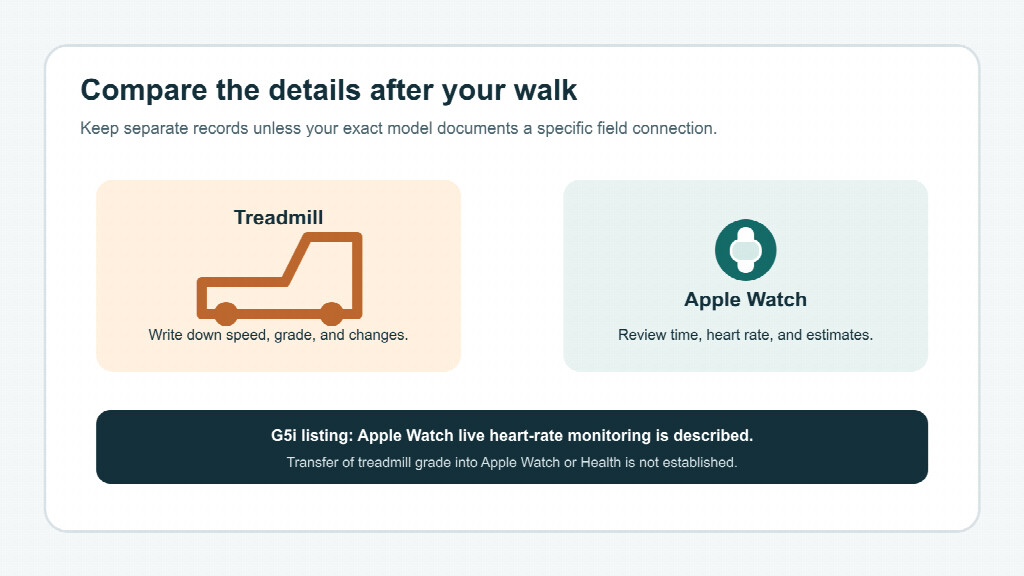
Check your exact treadmill’s current listing and the KS Fit app’s supported fields before relying on a feature. App and watchOS versions, permissions, and model support may affect what appears. Pair the equipment according to its instructions, then review the app and Watch records separately after one short session.
A practical setup is to pair the treadmill with its companion app according to the model instructions, then start the Apple Watch workout you intend to record. After one session, check which fields appear in each record. If grade or speed is missing from the Watch, write it beside the workout summary rather than assuming that another app has transferred it.
Choosing an incline treadmill for a trackable routine
If incline walking is part of your weekly routine, look beyond the watch summary. Consider whether the treadmill offers the grade range you will use, controls that are easy to adjust, and an app that records the specific workout fields you want. Check the exact model’s compatibility notes if live Apple Watch heart-rate monitoring matters to you; do not assume grade syncing unless it is explicitly documented.
For a compact home setup, browse the foldable treadmills with incline and compare the available features with your space and routine. After choosing a compatible model, pair it with KS Fit according to the instructions and check the app and Watch records separately after one session. Keep a quick note of the grade if it is not recorded in the fields your model supports. The goal is a record that helps you understand your workouts—not a perfect-looking number on one screen.
Disclaimer: This article is provided for general informational purposes and is not a substitute for professional medical advice, diagnosis, or treatment. Individual health needs and responses to exercise can vary. If you have a medical condition, concerns about your health, or are considering changes to your exercise, diet, sleep, or daily activity, consult a qualified healthcare professional first.

Lynn Martelli is an editor at Readability. She received her MFA in Creative Writing from Antioch University and has worked as an editor for over 10 years. Lynn has edited a wide variety of books, including fiction, non-fiction, memoirs, and more. In her free time, Lynn enjoys reading, writing, and spending time with her family and friends.