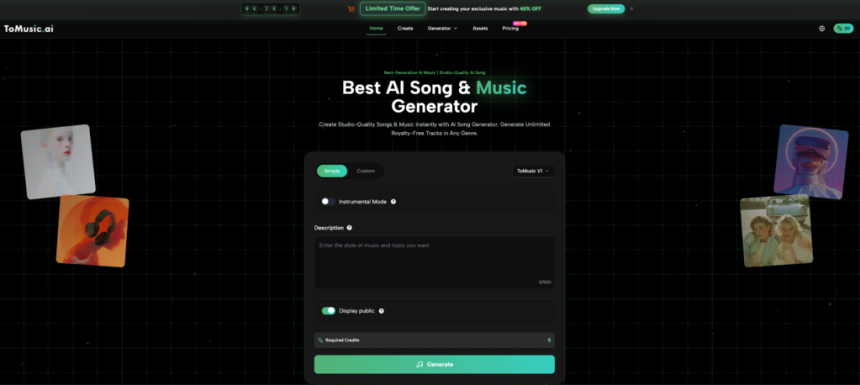
For digital creators, finding safe background audio is often a struggle against expensive libraries and copyright strikes. The solution? Use a Tomusic ai music generator to synthesize original compositions in seconds. This platform converts text and lyrics into studio-quality audio, allowing editors and marketers to generate commercial-grade soundtracks instantly—no music theory required.
Why Choose AI Music Generator?
The primary driver for adopting an AI music generator is control over the creative output. Traditional stock music is static; you cannot easily alter the tempo, instrumentation, or mood of a pre-recorded track without complex editing. In contrast, generative AI builds audio from the ground up—sample by sample—based on your inputs.
Solving Copyright Headache
One of the most persistent issues for creators is the risk of copyright strikes (Content ID claims). Even “royalty-free” libraries often have overlapping claims that can demonetize a video. An artificial intelligence music tool solves this by creating unique compositions. Since the audio is generated on demand and is not a copy of an existing file in a database, the risk of accidental infringement is virtually eliminated. This makes it an essential tool for high-volume content creators on platforms like TikTok and YouTube.
Efficiency and Cost
Hiring a composer for a custom 3-minute track can cost hundreds of dollars and take weeks. An AI tool reduces this cost to a fraction and the time to mere minutes. For rapid prototyping or daily content schedules, this efficiency is unmatched.
How can AI Music Generator Do
ToMusic.ai leverages advanced text to music ai models to interpret semantic meaning and translate it into acoustic reality. The platform’s capabilities go far beyond simple instrumental loops.
From Text to Full Songs
The engine can distinguish between requests for background ambience and structured songs. If you input a prompt for a “melancholic piano piece for a rainy scene,” it focuses on melody and atmosphere. However, it also supports lyrics to music generation. You can input custom lyrics, and the AI will structure them into verses and choruses, applying a vocal performance that matches the genre you specified.
Multi-Modal Creativity
Music often needs to sync with visuals. ToMusic supports multi-modal inputs, allowing users to upload images or videos to guide the generation process. This is particularly useful for creating “memory albums” or “lyric videos,” where the visual mood—colors, pacing, and subject matter—can help the AI infer the correct emotional tone for the soundtrack.
Why Choose Tomusic AI music generator
While the market is flooded with basic audio tools, ToMusic.ai differentiates itself through a creator-centric feature set that prioritizes usability and commercial viability.
Four Distinct Models (V1–V4)
ToMusic offers a tiered model system to balance speed and quality:
- V1 Model: Optimized for speed, ideal for quick iterations and short social media clips.
- V4 Model: The flagship engine. It offers superior high-fidelity audio and, crucially, supports generating songs up to 8 minutes in length. This is a game-changer for long-form content like podcasts or documentary narration beds, where short loops become repetitive and annoying.
Commercial Rights on Free Plans
A common frustration with other tools is that free tiers are restricted to personal use. ToMusic disrupts this by offering a text to song generator free of restrictive licensing. Even on the Free tier (which includes a generous one-time quota), users can download tracks in WAV or MP3 format with a commercial license. This allows new creators to monetize their work immediately without an upfront financial commitment.
Professional Post-Production Features
For advanced users, the raw file is just the beginning. ToMusic includes features like stem extraction, allowing you to separate vocals from the instrumental. This is critical for video editors who may like the backing track of a generated song but need to remove the lyrics to make room for a voiceover.
How to Use Tomusic AI Music Generator
The user interface is designed to be intuitive, functioning as a creative accelerator rather than a technical barrier. Here is the workflow to create music from text on the platform.
Step 1: Input and Mode Selection
Navigate to the text to song interface. You can choose “Simple” mode for broad strokes or “Custom” mode for granular control.
Step 2: Prompt Engineering
To get the best result from an AI music generator from text, specific descriptors help.
- Genre: Be precise (e.g., “Cyberpunk,” “Lo-fi Hip Hop,” “Orchestral”).
- Mood: Describe the feeling (e.g., “Uplifting,” “Eerie,” “Energetic”).
- Instrumentation: List key elements (e.g., “Heavy Bass,” “Synthesizer,” “Acoustic Guitar”).
- Example: “An energetic pop track with female vocals, 120 BPM, suitable for a fitness vlog.”
Step 3: Structure and Refinement
In Custom mode, you can define the track length, add [Verse] and [Chorus] tags for lyrics, and select a specific voice model. Once you click generate, the AI produces the audio. If it’s not perfect, you can tweak the parameters and regenerate until it fits your vision.
Specialized Tools for Every Creator Scenario
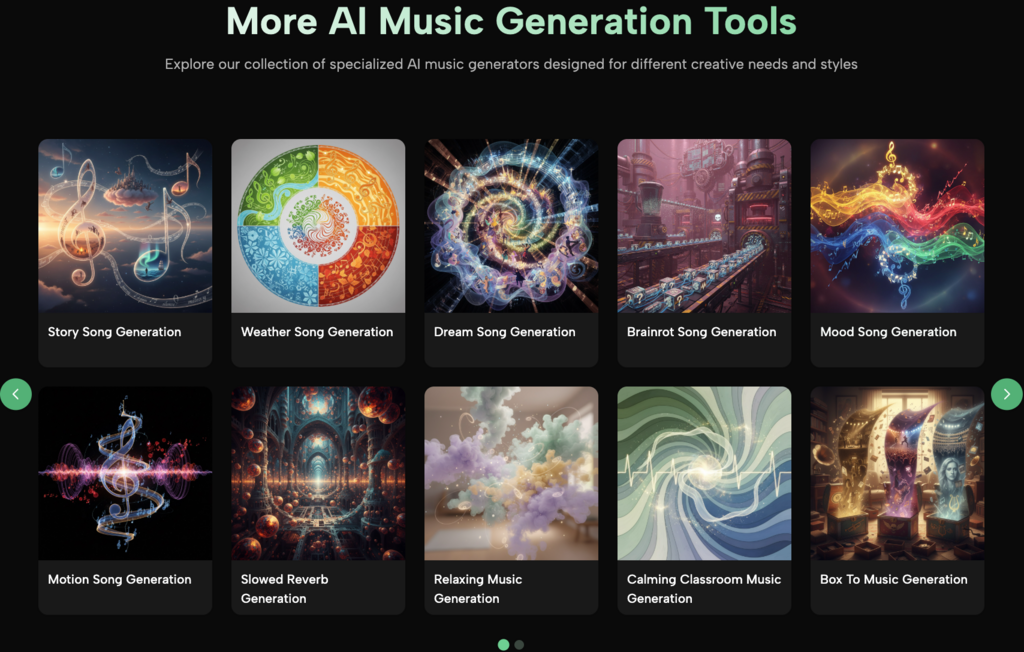
ToMusic acknowledges that not everyone knows music theory terms. To assist with this, the platform offers specialized templates and generation tools tailored to specific use cases.
Story and Narrative Songs
For storytellers and marketers, the “Story Song” feature allows the music to follow a narrative arc. Instead of a static loop, the intensity of the music can shift, supporting the emotional peaks and valleys of a story. This acts as a specialized song maker from text for narrative content.
Functional Music Generators
The platform includes dedicated generators for specific environments:
- Classroom & Education: Generate background music that aids concentration without being distracting.
- Relaxation & Weather: Create ambient soundscapes or “weather songs” that match specific atmospheric conditions.
- Entertainment: Tools for creating “meme songs” or “brain-hole” (imaginative) tracks based on trending topics, perfect for viral content creation.
Conclusion
The barriers to professional audio production have crumbled. ToMusic.ai offers a robust solution that empowers anyone to make music online without technical expertise or legal worries. By combining advanced models like V4 with user-friendly features like commercial licensing and stem separation, it serves as a powerful partner for modern digital storytelling.
Whether you need a quick royalty free music generator for a YouTube video or a tool to compose full-length songs with vocals, ToMusic provides the flexibility and quality required to elevate your content. Stop searching for the perfect track and start generating it.

Lynn Martelli is an editor at Readability. She received her MFA in Creative Writing from Antioch University and has worked as an editor for over 10 years. Lynn has edited a wide variety of books, including fiction, non-fiction, memoirs, and more. In her free time, Lynn enjoys reading, writing, and spending time with her family and friends.