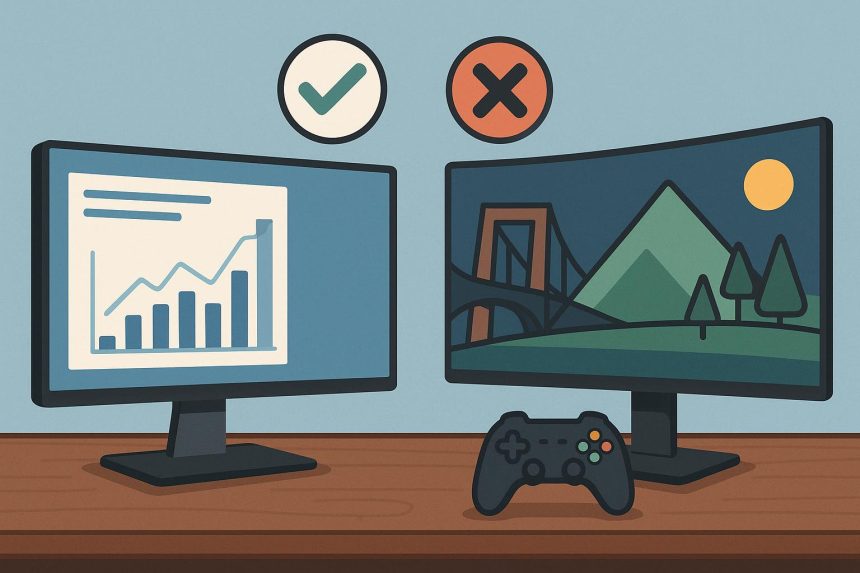
Choosing the perfect computer monitor requires balancing panel technology (IPS vs. VA), resolution (1440p is the current sweet spot), and refresh rates (144Hz+ for gaming). While professionals prioritize color accuracy and ergonomic stands, gamers prioritize low response times and adaptive sync features such as G-Sync or FreeSync. This guide breaks down the essential specs into simple, real-world decisions to help you invest in a screen that boosts productivity and enhances your entertainment experience.
But have you ever spent eight hours staring at a screen only to end the day with a splitting headache?
Or maybe you finally sat down to play your favorite game, but everything looked blurry and ghostly whenever you moved the camera.
It is a common struggle.
The truth is, your computer monitor is the most important part of your setup. It doesn't matter if you have a high-end PC worth lakhs of Taka if the screen you are looking at is subpar. You are literally looking at it every second you use your computer.
But with so many numbers, acronyms, and brands out there, how do you actually pick the right one?
Let’s dive into the world of pixels and panels to find your perfect match.
Why One Size Does Not Fit All
Imagine trying to drive a luxury sports car on a muddy village road.
It just doesn't work, right?
The same logic applies to screens. A monitor designed for a graphic designer in a sleek Dhaka office is very different from one built for a competitive Valorant player.
If you choose the wrong one, you are either overpaying for features you don't need or missing out on the ones that actually matter. The key is finding a “Hybrid” monitor that can handle a morning of Excel sheets and an evening of AAA gaming.
Resolution: The Sharpness Factor
If you want the best balance between workspace and gaming performance, a 27-inch 1440p computer monitor is the gold standard for most users today.
What exactly are you looking at?
Resolution is simply the number of pixels on the screen. More pixels mean a sharper image and more space to work.
- 1080p (Full HD): This is the baseline. It is great for 24-inch screens and budget builds.
- 1440p (QHD): This is the “Sweet Spot” in 2025. It is significantly sharper than 1080p but doesn't require a super-expensive GPU to run games smoothly.
- 4K (UHD): The king of clarity. Perfect for video editors and console gamers, but you will need a massive 27-inch or 32-inch screen to really see the benefit.
Panel Types: IPS vs VA vs TN
For a mix of professional work and immersive gaming, an IPS panel is almost always the better choice due to its superior color accuracy and wide viewing angles.
This is where most people get confused. The “Panel” is the actual technology behind the glass.
- IPS (In-Plane Switching): Ideal for color accuracy and viewing angles. If you do any creative work or like vibrant games, get an IPS.
- VA (Vertical Alignment): Best for contrast. If you watch a lot of movies or play games with dark settings (such as horror games), VA panels offer deeper blacks that IPS cannot match.
- TN (Twisted Nematic): The old king of speed. It’s fast but has poor colors. In 2025, modern IPS panels have become fast enough that TN panels are largely obsolete for the average user.
Refresh Rate: The Secret to Smoothness
A 144Hz or 165Hz refresh rate provides the ideal smoothness for both fast-paced gaming and a fluid desktop experience for daily work.
Have you ever noticed how some screens feel “snappier” than others?
That is the refresh rate, measured in Hertz (Hz). A standard office computer monitor usually runs at 60Hz, meaning it updates the image 60 times per second.
For gaming, you want at least 144Hz.
The difference is night and day. Even just moving your mouse cursor across the desktop feels smoother. If you are a competitive gamer, high refresh rates give you a literal split-second advantage over your opponents.
Ergonomics and Eye Care
Prioritize a computer monitor with a versatile stand that supports height, tilt, and swivel adjustments to maintain proper posture and reduce physical fatigue.
Let’s talk about your health for a second.
In Bangladesh, many of us spend 10+ hours a day in front of a screen. A monitor that sits too low will force you to hunch over, leading to long-term neck and back pain.
Look for a monitor with a “Height Adjustable Stand.”
Additionally, ensure the screen features “Flicker-Free” technology and a “Blue Light Filter.” These small features significantly reduce eye strain during those long work sessions or late-night gaming marathons.
Connectivity: Ports You Actually Need
The back of the monitor is just as important as the front.
You should look for at least two HDMI ports and one DisplayPort. If you use a modern laptop for work, a monitor with “USB-C Power Delivery” is a life-changer. It allows you to connect your laptop to the screen and charge it using a single cable.
No more messy wires on your desk!
Final Decision Matrix
- The Office Pro: Look for a 27-inch IPS 4K monitor with USB-C.
- The Hardcore Gamer: Look for a 24-inch or 27-inch 1080p/1440p IPS display with 165Hz+ refresh rate and 1ms response time.
- The Hybrid User: The 27-inch 1440p 144Hz IPS computer monitor is your best friend.
Conclusion
Ultimately, your monitor is your window into the digital world.
Don't settle for a blurry, dim, or flickering window. By focusing on IPS panels, 1440p resolution, and high refresh rates, you can find a screen that makes your spreadsheets look crisp and your games look breathtaking.
Ready to level up your visual experience?
Take your time to compare specifications, review local warranties in Bangladesh, and invest in a high-quality computer monitor that will serve you for years to come. Your eyes (and your K/D ratio) will thank you!

Lynn Martelli is an editor at Readability. She received her MFA in Creative Writing from Antioch University and has worked as an editor for over 10 years. Lynn has edited a wide variety of books, including fiction, non-fiction, memoirs, and more. In her free time, Lynn enjoys reading, writing, and spending time with her family and friends.