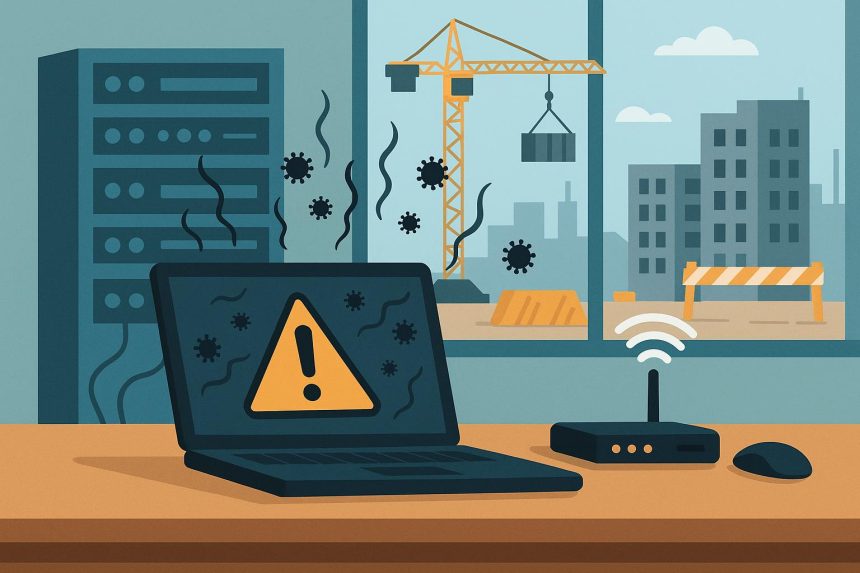
Your electrical subcontractor shows up to the jobsite with a laptop that looks like it survived a fall from a second-story window. Your HVAC guy wants to connect his personal tablet to your project network to pull up equipment specs. The plumbing sub needs access to your cloud-based drawings, but his phone’s so old it’s still running an operating system from 2019.
Welcome to one of the messiest aspects of modern construction: managing IT security when you’ve got zero control over the devices people bring to your jobsites. This is where IT support construction companies need differs dramatically from what works in a typical office environment.
You Can’t Control What You Don’t Own
In most industries, IT departments have a reasonable amount of control over the devices accessing company networks and data. They issue laptops, configure phones, enforce security policies, and monitor everything that connects.
Construction doesn’t work that way. You’re coordinating with dozens of subcontractors, each running their own businesses with their own equipment. You can’t tell your subs to buy new computers or standardize on specific platforms—they’re independent contractors, not employees.
The Security Nightmare This Creates
Every device that touches your network or accesses your project data is a potential vulnerability. That ancient laptop the electrician’s using? It probably hasn’t been updated in two years and is riddled with security holes. The tablet your drywall sub is carrying around? Could be infected with malware from sketchy app downloads.
The IT support construction firms need has to account for this reality. You’re not securing a controlled environment—you’re trying to protect your data while allowing access from devices you can’t vet, managed by people who think “password123” is secure enough.
The Guest Network That Needs Better Rules
Most construction companies start by setting up a guest Wi-Fi network for subcontractors. Seems like a smart move—keeps them off your main corporate network, gives them internet access for pulling specs and submitting photos.
But guest networks alone don’t solve the problem. That sub who just connected to your guest network can still send emails with attachments from your project, store drawings on their compromised device, or accidentally expose client information.
What Actually Needs to Happen
IT support construction companies should be implementing involves more than just network segregation. You need:
- Time-limited access credentials – Guest passwords that expire after a day or a week, not permanent access that lingers after the sub finishes their work
- Device-level restrictions – Limits on what connected devices can actually do on your network, even if they’re on the guest side
- Activity monitoring – Tracking what’s being accessed and downloaded, so you can spot unusual patterns before they become breaches
- Clear access policies – Written guidelines that subs agree to before connecting, establishing what’s acceptable and what’s not
This sounds like a lot of overhead for a construction company, which is exactly why specialized IT support construction firms exist.
The Drawing Access Problem
This one hits every general contractor eventually. Your project drawings live in some cloud platform—Procore, PlanGrid, Autodesk Construction Cloud, whatever you’re using. Subs need access to current drawings to do their work.
But when they download those drawings to their devices to mark them up or reference them offline, you’ve just lost control of where your project data lives. That drawing is now on a device you don’t manage, probably without encryption, possibly backed up to their personal cloud storage.
The Balance Between Security and Productivity
You can’t tell subs they can’t download drawings—they need them to work. But the IT support construction companies need includes ways to mitigate the risk:
- Watermarking drawings with identifying information so you can trace leaks
- Setting permissions that allow viewing but restrict downloads for certain sub types
- Requiring subs to use company-provided tablets for accessing sensitive documents (expensive, but some high-security projects demand it)
- Automatic expiration of access after the sub’s work is completed
None of these solutions are perfect, but they’re better than hoping everyone who touches your drawings will be responsible with them.
The Personal Device Personal Problem
Here’s a scenario that plays out constantly: A subcontractor uses their personal phone to take photos of completed work, communicate with your superintendent via text, and access project schedules. That phone also has their personal email, their kid’s school photos, their banking apps, and probably some games they play during lunch breaks.
If that phone gets lost, stolen, or compromised, your project data is sitting right alongside everything else on an unencrypted device with no remote wipe capability.
The BYOD Reality in Construction
Bring Your Own Device policies work okay in office environments where you can require employees to install mobile device management software. In construction, where you’re dealing with independent contractors? Good luck enforcing that.
The IT support construction firms provide has to work around this limitation rather than fighting it. Options include:
- Requiring specific apps for project communication that have their own security features
- Using platforms that don’t require local data storage on devices
- Setting up secondary devices specifically for high-security projects (yes, this means added cost)
- Clear contractual language about data handling and breach responsibility
When Malware Comes to the Trailer
The jobsite trailer is basically a temporary office with terrible security. Multiple people coming and going, shared computers, USB drives getting passed around, subs plugging their laptops into your printer.
One infected device can compromise everything else in that environment. And unlike a corporate office where IT can respond immediately, jobsite infections often go unnoticed for days.
The Trailer-Specific IT Challenge
IT support construction operations need for jobsite trailers is different from office support:
- Isolated environments – Jobsite networks should be completely separate from your corporate office network, so an infection doesn’t spread
- Regular scanning – Automated security scans on all jobsite equipment, with alerts going to someone who can actually do something about threats
- Limited shared resources – Minimize what’s shared between devices in the trailer—separate printers, restricted file sharing, no USB drives passing between computers
- Quick response capability – Someone who can remotely access and clean infected devices, because you’re not shutting down a jobsite to deal with IT issues
The Contractual Protection Nobody Reads
Most construction contracts have some boilerplate language about data security and confidentiality. Almost nobody pays attention to it until there’s a breach.
When a sub’s compromised device leads to leaked project information or worse, your contract is the only thing determining who’s liable. And if your contract doesn’t specifically address device security, you’re probably stuck holding the bag.
What Contracts Should Actually Say
The IT support construction firms need to help with extends to contract language. You should have clear provisions about:
- Minimum device security standards (updated OS, active antivirus, encryption for stored project data)
- Notification requirements if a sub’s device with your project data is compromised
- Liability for breaches originating from sub devices
- Right to revoke access if security standards aren’t met
- Data retention and disposal requirements after project completion
Your lawyer should write this language, but your IT support should inform what actually needs to be in there.
The Project App Proliferation Issue
Every specialty sub seems to have their preferred app for everything. The concrete guys use one platform, the electricians use another, the mechanical team has their own system. They all want you to create accounts, share data, and coordinate through their preferred tools.
Each one of those platforms is another potential leak point. Each one requires you to trust that sub’s IT security, which you have no way to evaluate.
The Platform Consolidation Challenge
This is where IT support construction companies can provide real value by helping you establish standard platforms and requiring subs to use them, rather than accommodating everyone’s preferences.
It’s not about being difficult—it’s about controlling how many different systems have access to your project data. The fewer platforms you’re using, the fewer potential vulnerabilities you’re managing.
The Reality Check
You’re never going to have perfect security when subcontractors bring their own devices to your jobsites. The goal isn’t perfection—it’s reducing risk to acceptable levels while still allowing people to work efficiently.
The IT support construction firms require for this challenge isn’t the same as what works for accounting firms or law offices. It needs to be flexible enough to accommodate the messy reality of construction while still protecting you from the most likely and most damaging security scenarios. That’s a specific expertise most general IT providers simply don’t have.

Lynn Martelli is an editor at Readability. She received her MFA in Creative Writing from Antioch University and has worked as an editor for over 10 years. Lynn has edited a wide variety of books, including fiction, non-fiction, memoirs, and more. In her free time, Lynn enjoys reading, writing, and spending time with her family and friends.