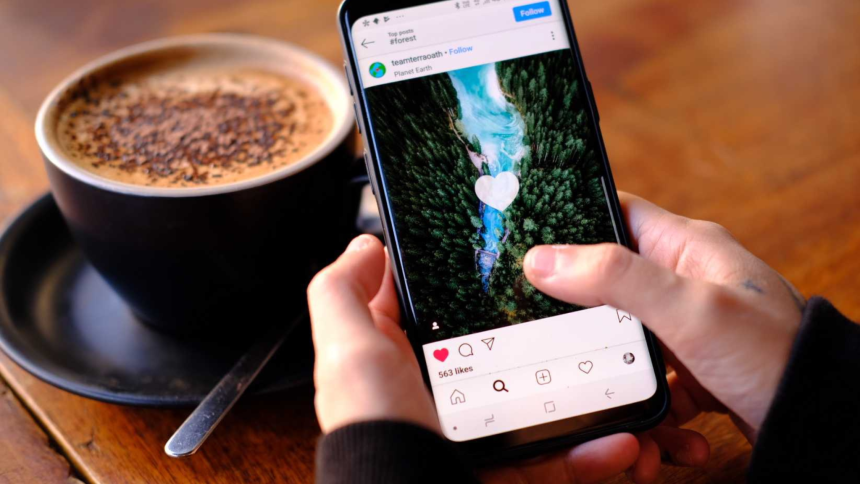
Instagram is one of the most popular social media platforms, but it doesn’t always give users full visibility into their account activity. One of the most common questions people ask is: Can you see who unfollowed you on Instagram?
The short answer is Instagram does not notify you when someone unfollows you. However, there are reliable ways to track unfollowers efficiently—especially if you manage a brand, grow a personal account, or monitor engagement trends. This guide explains how unfollower tracking works and how tools like Dolphin Radar’s Instagram Unfollowers Tracker can help.
Does Instagram Show Who Unfollowed You?
Instagram prioritizes simplicity and privacy, which means it does not provide a built-in feature to show who unfollowed you. You can only see:
- Your total follower count
- Your following list
- Engagement on posts and stories
If your follower count drops, Instagram does not explain why or who was responsible. Manually checking each follower is possible but extremely time-consuming and inaccurate—especially for growing accounts.
Common Ways People Try to Check Instagram Unfollowers
Before using professional tools, many users attempt these methods:
Manual Comparison (Not Recommended)
- Take screenshots of your follower list
- Compare lists over time
- Identify missing usernames
This approach becomes unmanageable once you have more than a few hundred followers.
Third-Party Tools (Most Efficient)
Dedicated analytics platforms track follower changes automatically and present the data clearly. This is where Instagram unfollowers trackers are most effective.
What Is Dolphin Radar’s Instagram Unfollowers Tracker?
Dolphin Radar’s Instagram Unfollowers Tracker is a dedicated sub-feature within the Dolphin Radar analytics platform. It helps users monitor follower changes accurately, without guesswork or manual tracking.
What the Feature Does
The tool analyzes your Instagram account data over time and detects:
- Accounts that unfollowed you
- New followers gained
- Net follower growth or loss
It is designed for creators, businesses, and social media managers who want reliable insights without violating Instagram’s guidelines.
How the Instagram Unfollowers Tracker Works
The process is straightforward and data-driven:
- Initial Data Snapshot
The tool records your current follower list as a baseline. - Ongoing Monitoring
Dolphin Radar periodically checks for changes in your followers. - Comparison & Detection
When an account disappears from your follower list, it is flagged as an unfollower. - Clear Reporting
Results are displayed in a simple dashboard for easy review.
This automated comparison ensures accuracy and eliminates human error.
Step-by-Step: How to Use Dolphin Radar’s Instagram Unfollowers Tracker
Step 1: Access Dolphin Radar
Log in to your Dolphin Radar account and navigate to the Instagram analytics section.
Step 2: Connect Your Instagram Account
Securely link your Instagram profile using the guided setup. No manual data entry is required.
Step 3: Open the Unfollowers Tracker
Select Instagram Unfollowers Tracker from the dashboard to start monitoring.
Step 4: Review Reports
View:
- Recent unfollowers
- Follower trends over time
- Engagement-related insights
Reports are updated automatically based on your plan.
Core Features and Benefits
Key Functionalities
- Automatic unfollower detection
- Historical follower comparison
- Clean, easy-to-read dashboard
- No manual tracking required
Benefits for Users
- Saves time and effort
- Helps identify content or engagement patterns
- Supports smarter Instagram growth strategies
- Ideal for brands, influencers, and agencies
Instead of focusing on individual losses, users can analyze patterns and improve overall performance.
Pricing and Usage Model
Dolphin Radar’s Instagram Unfollowers Tracker is available as part of Dolphin Radar’s analytics plans. Access level and update frequency may vary depending on the selected plan.
Typically:
- Entry-level plans support basic unfollower tracking
- Advanced plans include deeper insights and extended history
This flexible model allows users to choose a plan that fits their needs without paying for unnecessary features.
Image & Visual SEO Optimization
Including visuals improves clarity and SEO performance. Below are recommended image placements:
Suggested Images
- Dashboard Overview Screenshot
Alt text: Instagram unfollowers tracker dashboard in Dolphin Radar - Step-by-Step Usage Illustration
Alt text: How to check Instagram unfollowers using Dolphin Radar - Follower Growth Chart Example
Alt text: Instagram follower analytics showing unfollowers and growth trends
These images help users understand the process quickly while improving on-page SEO.
Final Thoughts
While you can’t track who unfollowed me on Instagram, tracking unfollowers is entirely possible with the right approach. Instead of manual checks or unreliable methods, tools like Dolphin Radar’s Instagram Unfollowers Tracker offer a practical, efficient, and data-backed solution.
By understanding follower changes and trends, you can make informed decisions, improve engagement, and grow your Instagram presence with confidence.

Lynn Martelli is an editor at Readability. She received her MFA in Creative Writing from Antioch University and has worked as an editor for over 10 years. Lynn has edited a wide variety of books, including fiction, non-fiction, memoirs, and more. In her free time, Lynn enjoys reading, writing, and spending time with her family and friends.