

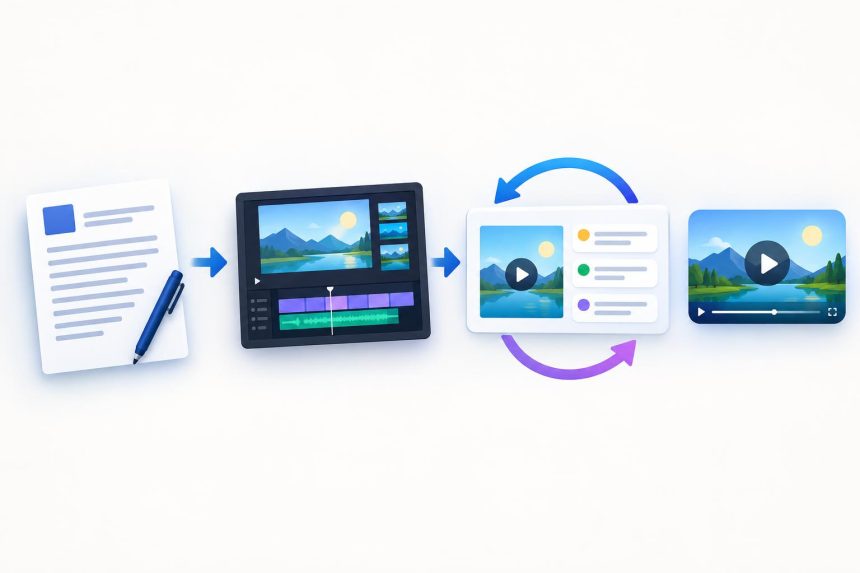
A short video often starts with a sentence rather than a camera. A designer might want to show the atmosphere of a proposed event, while a small business owner needs to explain an idea before commissioning a larger production. AI video generation can support this exploratory stage, but useful results still depend on a clear brief, careful source selection, and human review. Treating the process as a sequence of decisions makes it easier to learn from each attempt.
Define one communication goal
Before choosing a tool, write down what the viewer should understand. For example, a community arts group might want to convey the feeling of a quiet exhibition opening. That is a more manageable objective than asking one clip to explain the venue, introduce every artist, announce ticket details, and establish an entire visual identity. A narrow goal helps a team judge whether a generated sequence actually serves its purpose.
Next, identify where the clip will appear. A website introduction and a mobile social post have different viewing conditions. Plan space for captions and essential information rather than assuming the generated image will carry every detail. Keep the final announcement text in a separate editing layer so that names, dates, and accessibility information can be checked and changed without regenerating the visual sequence.
Describe observable choices
A useful prompt describes a subject, its surroundings, the intended movement, and the mood. Instead of relying only on words such as impressive or cinematic, specify what someone should see: a paper invitation resting on a wooden table, gentle afternoon light, and a slow movement toward the printed design. Concrete descriptions give reviewers something to compare against the brief, even when the output differs from the original intention.
When an image is used as a starting point, confirm that the team has permission to upload and adapt it. Avoid exposing private client documents or unpublished personal information. A simple record of the image source, permission, and intended use can prevent confusion later. Permission to view an image does not automatically mean permission to reuse it in promotional material.
Run a small and deliberate experiment
Teams exploring text or image based video workflows can consider Happy Wan, an AI video generation page on wan3.video, as one possible starting point. Check the current interface, terms, available settings, and usage conditions before beginning. The purpose of an initial experiment should be to understand how a particular brief translates into motion, rather than to assume that any tool will produce a finished campaign asset immediately.
Keep the first test modest. Save the prompt and note the intended scene, then change one aspect at a time. If the camera movement is distracting, revise that instruction before changing the setting and color palette as well. Making several unrelated changes together makes it difficult to understand why a later version works better. A small comparison sheet can capture the prompt version, review comments, and the next adjustment.
Review motion as carefully as still images
A promising thumbnail is only one frame. Watch the whole clip and inspect transitions, object consistency, edges, and the relationship between the subject and background. Hands, lettering, reflections, and repeated patterns deserve particular attention when they matter to the message. If an output implies a real event, product result, or personal endorsement that did not occur, revise the concept or label the illustrative nature clearly.
Invite someone who did not write the prompt to review the sequence. Ask what they think it communicates before explaining the intended message. Their answer may reveal that the clip is attractive but confusing. Review captions, contrast, pacing, and any accompanying audio separately. A sequence that depends on sound alone may exclude viewers who watch silently or need an alternative presentation.
Finish with an accountable handoff
Once a version is selected, record what has been approved and what remains provisional. Keep source files, prompts, permissions, and reviewer notes together so another team member can continue the work. Check the final export in its actual publishing context, including the surrounding headline and caption. The practical value of AI video is easier to assess when a team measures clarity and usefulness, while keeping responsibility for the final communication with the people who publish it.

Lynn Martelli is an editor at Readability. She received her MFA in Creative Writing from Antioch University and has worked as an editor for over 10 years. Lynn has edited a wide variety of books, including fiction, non-fiction, memoirs, and more. In her free time, Lynn enjoys reading, writing, and spending time with her family and friends.