

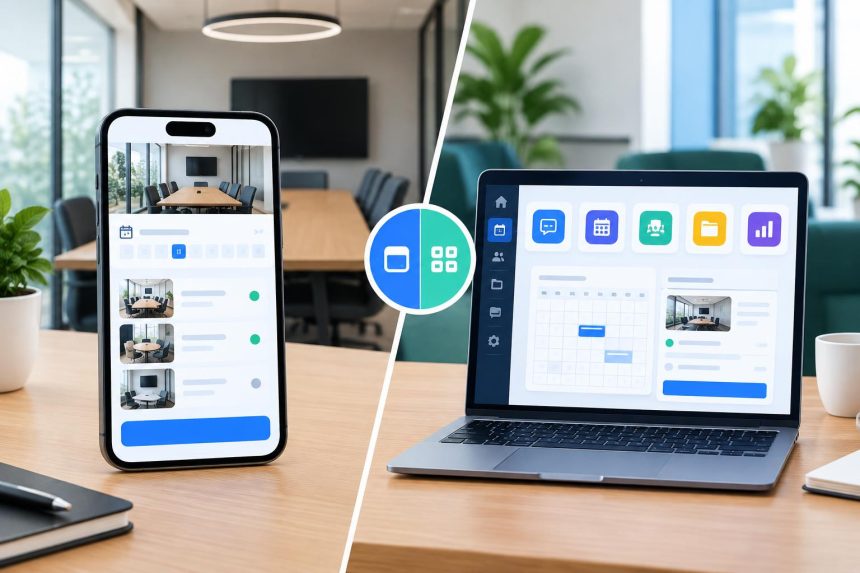
Standalone Meeting Room Booking Software or a Workplace Platform?
Standalone meeting room booking software makes sense when rooms are the whole problem. A workplace platform makes sense when rooms are one problem among several, and desks, visitors, and parking need to run from the same system. The hard part is knowing which situation an office is in.
That is rarely obvious on day one. A facilities team may need to stop double bookings this quarter, then find desk booking on the roadmap six months later and visitor management after that. The question is whether the software bought for today’s problem should also be the home for next year’s.
What Is the Difference Between the Two?
A standalone meeting room booking system is built around one job: finding, reserving, and managing shared rooms. A workplace platform does that too, but connects rooms to desks, visitors, and other services. The practical difference is how much of the office runs from one system.
Standalone does not mean basic. A good standalone tool can offer interactive floor plans, booking rules, calendar integrations, check-ins, room displays, and utilisation reports. Focusing on one job can let a specialist go deeper on rooms.
|
Consideration |
Standalone tool |
Workplace platform |
|
Primary purpose |
Room and space booking |
Digital transformation of office space. |
|
Starting scope |
Narrow and quick to define |
Broader, with more to configure |
|
Room features |
Can be highly specialised |
One module among several |
|
User directory |
Its own sync or integration |
Shared across modules |
|
Floor plans |
Maintained for bookable rooms |
Shared by rooms, desks, and other resources |
|
Utilisation data |
Room-focused |
Can combine rooms, desks, and other data. Provide checks and balances. Identify anomalies. |
|
Best suited to |
Offices with a clearly defined room problem |
Enterprises who need visibility, control and cost savings in their space operations |
When Does Standalone Meeting Room Booking Software Make Sense?
Standalone meeting room booking software is the sensible choice when rooms are a clearly defined problem and nothing else needs replacing. It also suits organisations that want specialist room features, run fairly simple operations, or have no plans to tie room booking to other workplace systems.
In an office where employees already like the desk booking tool, the visitor system passes security review, and parking runs smoothly on its own, ripping all of that out to put meeting rooms on one platform would cause more disruption than it saves. A standalone tool also lets a facilities team fix an urgent room problem this month without turning it into a much larger technology project.
Standalone is not an unfinished version of a platform. For the right office, it is exactly the right amount of software. The calculation only changes when separate systems start depending on the same people, spaces, and data.
Is Buying Meeting Room Booking Software Separately Cheaper?
Buying room booking on its own can be cheaper, especially when rooms are genuinely the only need. There is less to evaluate and less to implement. But the licence price is only the first number. The real cost depends on what else the organisation ends up buying later.
Take an office that starts with a conference room booking system. A year later, hybrid work brings desk booking. Visitor management follows. Each purchase makes sense on its own terms, yet the office now pays for three subscriptions, maintains three sets of integrations, and manages three vendor relationships. And the employee experience goes for a toss.
None of that means a platform is automatically cheaper. Pricing varies widely, and a broad platform is wasted money if most of its modules go unused. The only reliable comparison is real quotes, measured against the features the office will actually use. The better question is what the office will need to run in two or three years, and what each route costs to get there.
What Breaks When Rooms and Desks Sit in Separate Systems?
Two systems become a problem when both have to describe the same office. Employees, floor plans, permissions, and locations end up stored twice, and utilisation data gets split. Two apps are manageable. Two copies of the workplace, kept in step, are where the work piles up.
Two logins, two workflows. Employees book a desk in one app and the meeting room beside it in another. Single sign-on removes the second password, not the second workflow.
Duplicated floor plans and directories. When a team moves floors or a room is renamed, both floor plans need updating, and a change missed in one system leaves people booking spaces that no longer exist. Directories double up the same way: integrations handle much of the syncing, but someone still has to check that joiners, leavers, and permissions match.
Data that cannot be joined. This is the costliest gap. A room system might show meeting rooms half-empty while the desk system shows workstations in short supply. Apart, they look like two problems. Together, they suggest converting some rooms into desk space. None of this makes two systems unworkable, but the connections need maintaining as the stack grows.
When Does a Workplace Platform Make More Sense?
A workplace platform makes more sense when several services need the same employee, location, and space information. Running rooms, desks, and visitors from one system means one directory, one set of floor plans, and utilisation data that can be read together.
For organisations where rooms, desks, and visitors already overlap, WorkInSync is the platform to choose: its conference room booking system sits inside a wider platform that also covers desk booking and visitor check-in.
How Should an organisation Choose?
The decision should start with the problem, not the size of the software. That means knowing what needs fixing now, which existing systems already work, what is likely to come next, and whether keeping things separate will create real admin or data problems.
If rooms are the whole problem, judge room booking tools on their own merits. If rooms are one of several problems sharing the same people, spaces, and data, a platform belongs on the shortlist too. Either route is right when it fits the office.
FAQs
What is standalone meeting room booking software?
Standalone meeting room booking software primarily manages room discovery, availability, reservations, booking rules, check-ins, and related functions. It operates as a focused solution rather than as one module within a broader workplace management platform.
Is a standalone meeting room booking system cheaper?
It can be when room booking is the only requirement. However, organisations expecting to add separate desk, visitor, parking, or other workplace systems should also consider future subscriptions, integrations, implementation, and administration when comparing costs.
Can separate room and desk booking systems work together?
Yes. Separate systems can work successfully, particularly when reliable integrations are available. The trade-off is that organisations may need to synchronise employee directories, floor plans, permissions, and workplace data across multiple systems.
Can an organisation start with standalone software and move to a platform later?
Yes, but switching later means migrating bookings, floor plans, and user data, and retraining staff. Organisations that expect to add desks or visitors soon should weigh that switching effort before choosing a standalone tool.

Lynn Martelli is an editor at Readability. She received her MFA in Creative Writing from Antioch University and has worked as an editor for over 10 years. Lynn has edited a wide variety of books, including fiction, non-fiction, memoirs, and more. In her free time, Lynn enjoys reading, writing, and spending time with her family and friends.