


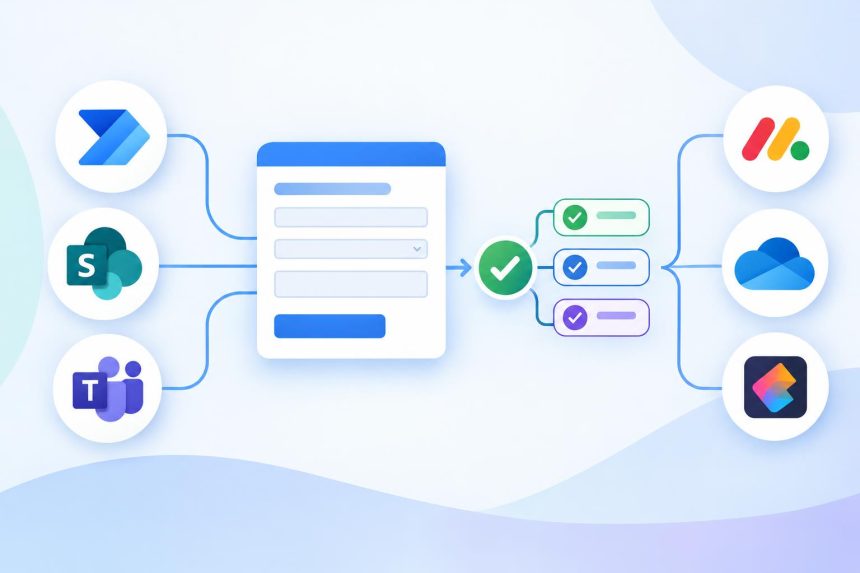
Microsoft Power Automate is a powerful automation tool, and many organizations use it with Microsoft Forms to route requests for approval. But building approval workflows in Power Automate often means stitching together a basic form, multiple flows, connectors, and SharePoint lists. When a process changes, someone has to rebuild the flow. And when the form itself is too simple, approvers spend time chasing missing information.
This is especially painful for approvals that involve people outside the organization, such as customers, applicants, vendors, or grantees, or that need to update a CRM like Salesforce rather than a SharePoint list. It is also hard to keep a clean audit trail when the process is spread across several flows and tools.
If you need a Power Automate alternative for approvals that starts with a strong form, this guide covers the best options in 2026.
Common Challenges With Power Automate Approvals
- Basic forms. Microsoft Forms has limited logic, validation, and file handling.
- Complex flow building. Multi-step or conditional approvals need technical skill to maintain.
- Licensing. Premium connectors and features can add cost.
- Visibility. Submitters often cannot see where their request stands.
- Non-Microsoft systems. Teams running Salesforce or other CRMs need extra connectors.
What a Good Form-Based Approval Tool Needs
- A strong form with conditional logic, validation, and file upload
- No-code routing rules based on form answers
- Multi-step and conditional approval paths
- Approve, reject, and comment actions for reviewers
- Automatic notifications at each stage
- Real-time status for submitters and approvers
- A complete audit log
- Integration with your system of record
1. FormAssembly
FormAssembly is the best Power Automate alternative when approvals depend on accurate, complete form data. Its no-code Approvals feature routes form submissions to reviewers, collects decisions, and keeps a record of the whole process, without building separate flows.
How FormAssembly approvals work
- Custom workflows trigger actions based on reviewer input.
- Approve, reject, or comment directly within the platform.
- Smart routing assigns requests to the right approver based on form logic and conditions.
- Simple or complex paths, using linear or conditional branching across multiple steps.
- Automated email notifications keep everyone informed.
- Real-time status so submitters and approvers can see where a request stands.
- Full audit log of every decision, timestamp, and user interaction, supporting HIPAA, GDPR, and SOC 2 readiness.
Example: a purchase request approval
- An employee submits a purchase request form with vendor, amount, cost center, and a quote attached.
- Conditional logic requires extra justification for purchases above a set amount.
- The request routes to the department manager for approval.
- If the amount is above a threshold, it routes on to finance for a second approval.
- The submitter sees the status at each step and is notified of the final decision.
- Every decision is logged, and the approved request can update records in Salesforce.
Why the form matters
Most approval delays come from incomplete requests. FormAssembly forms use conditional logic, validation, file upload, and prefill, so approvers receive everything they need the first time. Submissions can also create or update records in Salesforce, so approved requests flow straight into your system of record.
Security
FormAssembly holds SOC 2 Type II on all plans, is FedRAMP certified, and supports enterprise authentication through SAML, CAS, and LDAP.
Best for: Teams that want strong forms and no-code approvals in one secure platform, especially on Salesforce.
2. Kissflow
Kissflow is a low-code platform for business processes and workflows, including approvals.
Strengths
- Visual process builder
- Many process templates
Limitations
Forms are less flexible than dedicated form platforms.
Best for: Internal business processes.
3. Nintex
Nintex offers enterprise workflow automation, forms, and document generation.
Strengths
- Powerful enterprise workflows
- Broad integrations
Limitations
Can be complex and costly to implement.
Best for: Large enterprises with complex processes.
4. Jotform Approvals
Jotform includes an approval workflow builder on top of its forms.
Strengths
- Easy visual builder
- Affordable
Limitations
Lighter compliance and CRM integration for regulated use.
Best for: Small teams with simple approvals.
5. Zapier
Zapier connects thousands of apps and can automate parts of an approval process.
Strengths
- Huge app library
- Easy automations
Limitations
Not a form or approval platform on its own, so it needs other tools.
Best for: Connecting apps around an existing process.
6. Process Street
Process Street runs workflows as checklists, with approval steps built in.
Strengths
- Great for recurring procedures
- Simple approvals
Limitations
Less suited for external-facing forms.
Best for: Operations teams.
Common Approval Workflows to Move First
- Purchase and spend requests with amount-based routing
- Time off and HR requests with manager and HR approval
- Vendor onboarding with document upload and compliance review
- Grant and funding requests with program and finance review
- Customer exceptions, such as discounts or refunds that need sign-off
- Access requests for systems and data
When to Move Away From Power Automate
- Your approvals rely on external users, not just employees.
- Your system of record is Salesforce, not SharePoint.
- You need stronger forms with validation and file upload.
- Business users need to change approval paths without IT.
- You need a clear audit trail for compliance.
Designing Approval Workflows That Do Not Stall
Approvals slow down for predictable reasons: requests arrive incomplete, nobody knows who should approve, approvers miss notifications, or a single person becomes a bottleneck. Good design prevents most of these problems.
Collect everything up front
Use conditional logic and required fields so requests cannot be submitted without the details and documents each approver needs. If a purchase above a certain amount needs three quotes, make three upload fields required when the amount crosses that line.
Route by rules, not by memory
Define routing based on form answers, such as department, amount, region, or request type. FormAssembly assigns requests to the appropriate approver based on form logic and conditions, so submitters do not need to know who approves what.
Keep paths as short as possible
Every additional approval step adds time. Use conditional branching so only higher-risk or higher-value requests go through extra steps, while routine requests need a single approval.
Make status visible
When submitters can see where their request stands, they stop sending follow-up emails. FormAssembly gives submitters and approvers real-time insight into each request’s status.
Notify at the right moments
Automated email notifications should go to approvers when action is needed and to submitters when a decision is made. Avoid sending so many messages that people start ignoring them.
Capture comments with decisions
When an approver rejects or requests changes, a comment explains why. This shortens the next round and creates a useful record for audits.
Comparing Total Effort: Power Automate vs a Form-First Platform
With Power Automate, a typical form-based approval involves building a form in Microsoft Forms, creating a flow that triggers on submission, adding approval actions, writing results to a SharePoint list or another system, and building separate notifications. Each change to the process can mean editing several of these pieces, often by someone with technical skills.
With a form-first platform like FormAssembly, the form, routing rules, approval steps, notifications, and audit log live in one place. Business users can update a form field or an approval rule without rebuilding a flow. When the data needs to reach Salesforce, the native connector handles it in the same configuration.
The result is usually faster setup, easier maintenance, and fewer broken processes when something changes.
Governance and Compliance
Approval workflows often support policies that auditors review: spending limits, segregation of duties, access requests, and vendor due diligence. Auditors want to see that the right person approved each request, at the right time, based on complete information.
FormAssembly logs every decision, timestamp, and user interaction, and the page for its approvals feature notes that these logs support HIPAA, GDPR, and SOC 2 readiness. Combined with SOC 2 Type II certification on all plans and enterprise authentication through SAML, CAS, and LDAP, this gives compliance teams a clear and reliable record.
Measuring Approval Performance
Track average time from submission to final decision, the percentage of requests returned for missing information, and the number of requests waiting on each approver. These numbers show where workflows stall and where routing rules or form design need adjustment. Improving them is one of the fastest ways to show the value of moving approvals onto a form-first platform.
Frequently Asked Questions
Can FormAssembly handle multi-level approvals?
Yes. Approval paths can be linear or conditional across multiple steps.
Do I need to code approval workflows in FormAssembly?
No. Approvals are a no-code feature.
Can I still use Power Automate alongside FormAssembly?
Yes. Some organizations keep Power Automate for back-office automations and use FormAssembly for form-based approvals.
Can external users submit requests?
Yes. FormAssembly forms can be shared publicly or secured with authentication, so customers, applicants, and partners can submit requests.
What happens when an approver is on vacation?
Plan for this when you design the workflow. Common approaches include assigning a backup approver, routing to a team rather than one person, or escalating requests that have waited too long. Clear routing rules keep requests moving even when people are away.
Can approvals include conditional steps?
Yes. In FormAssembly, approval paths can branch based on form answers. A request below a set amount might need one approval, while a larger request routes through several reviewers. This keeps routine requests fast and focuses extra review where it matters.
How do approvers review requests?
Approvers receive a notification, open the request, review the submitted details and attachments, and then approve, reject, or comment directly in the platform. They do not need to dig through email threads or spreadsheets to find the information.
Can approval results update other systems?
Yes. Approved requests can create or update records in Salesforce through FormAssembly’s native connector, so downstream teams see the outcome immediately and nothing needs to be copied by hand.
How long does it take to move an approval workflow from Power Automate?
Simple workflows can often be rebuilt in a few days. Start by documenting the current form, routing rules, and notifications, then rebuild them in the new platform, test with real users, and switch over once everyone is comfortable.
Do approvers need a paid license?
Licensing models differ between platforms, so check how each vendor counts approvers, form builders, and submitters. This matters for approval workflows that involve many occasional reviewers across departments, because per-user costs can add up quickly.
Can approval workflows support compliance requirements?
Yes. Approval workflows with clear routing rules, required documentation, and full audit logs help demonstrate segregation of duties and policy compliance. FormAssembly logs every decision, timestamp, and user interaction, and holds SOC 2 Type II certification on all plans, which gives auditors a reliable record of how each request was handled from submission to final decision.
Final Thoughts
Power Automate is flexible, but form-based approvals work best when the form and the approval live together. FormAssembly gives you advanced forms, no-code approvals, real-time status, and audit logs on a secure platform, making it the top Power Automate alternative for form-driven approval workflows.

Lynn Martelli is an editor at Readability. She received her MFA in Creative Writing from Antioch University and has worked as an editor for over 10 years. Lynn has edited a wide variety of books, including fiction, non-fiction, memoirs, and more. In her free time, Lynn enjoys reading, writing, and spending time with her family and friends.