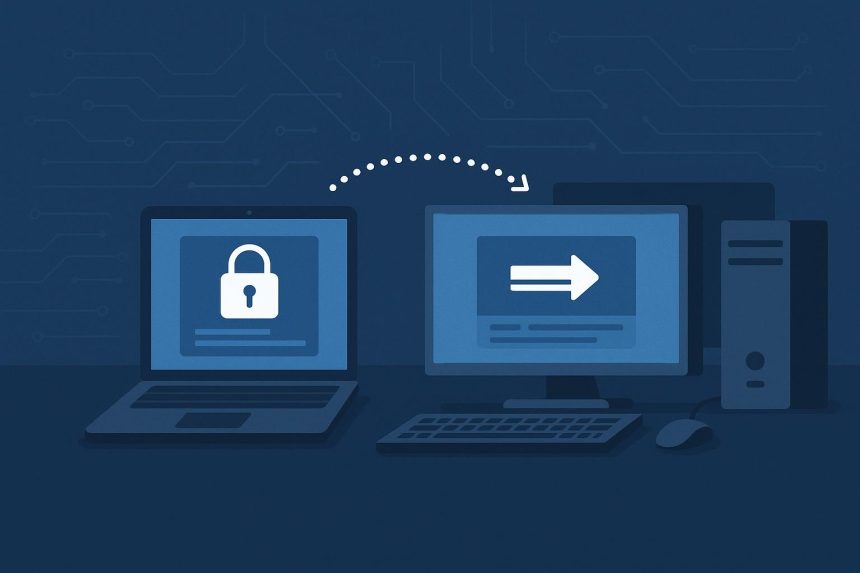
Unattended access is the capability that separates general screen-sharing tools from serious remote access platforms. With unattended access, a technician or administrator can connect to and control a device without anyone physically present at that machine; no end user needs to accept a connection, enter a code, or stay logged in. For IT teams managing servers, distributed endpoints, after-hours maintenance windows, and emergency incident response, this capability is not a premium add-on. It is the baseline requirement.
This listicle evaluates five remote access platforms that deliver genuine, reliable unattended access, examining how each implements the feature, what security controls surround it, and where each tool fits best.
Splashtop
Splashtop delivers unattended access as a fully supported core feature across its Business Access and Enterprise tiers, not as an afterthought requiring a separate add-on license. Once the Splashtop Streamer agent is deployed to a target device, that machine becomes available for unattended connection at any time, from any authorized endpoint running the Splashtop app.
For IT administrators, the remote access tool with unattended access that Splashtop provides includes Wake-on-LAN support to reach offline machines, remote reboot into both normal and safe mode, and the ability to establish a session before a user logs in critical for resolving issues that prevent login entirely. Bulk agent deployment via MSI or Group Policy makes rollout straightforward across large Windows environments, and Active Directory integration allows device and user access to be managed through existing directory structures.
Session security is robust: TLS 1.2 encryption in transit, AES-256 for data at rest, device-level two-factor authentication, configurable session recording, and SIEM log forwarding. Role-based permissions allow administrators to scope which users or technician groups can reach which devices. Splashtop holds SOC 2 Type II, HIPAA, ISO 27001, and GDPR certifications, and both cloud-hosted and on-premises deployment options are available.
NinjaOne Remote
NinjaOne Remote integrates unattended access directly into the NinjaOne RMM platform, which changes how the capability is used in practice. Rather than treating unattended access as a standalone session tool, NinjaOne makes it part of a continuous device management workflow. A technician monitoring an alert can see endpoint health, review patch status, run a remediation script, and open an unattended remote session without changing applications.
The platform supports unattended access to Windows and Mac endpoints, with session establishment handled through the NinjaOne agent already deployed for RMM purposes no separate streamer agent needs to be installed. This reduces deployment friction significantly for teams already running NinjaOne for endpoint management. Session encryption, role-based access, and audit logging meet enterprise expectations. For MSPs managing large device estates across multiple clients, NinjaOne’s per-device pricing model aligns well with the economics of unattended access at scale.
ConnectWise ScreenConnect
ConnectWise ScreenConnect has supported unattended access since its early versions as ScreenConnect, and the implementation remains one of the most flexible in the market. Access sessions are organized into a session group structure that can be configured to reflect an organization’s device taxonomy by site, by client, by device type, which makes locating the right machine in a large unattended access library straightforward.
The platform supports unattended connections across Windows, Mac, and Linux, including server operating systems. Granular permissions allow administrators to define exactly which technicians can initiate unattended sessions to which session groups. On-premises deployment gives organizations with strict data routing requirements full control over connection infrastructure. White-label branding and the MSP-oriented concurrent session pricing model make ScreenConnect particularly practical for managed service providers who support multiple clients with a shared technician team.
The risk environment that makes unattended access security so important continues to intensify. TechRepublic’s reporting on ransomware attack trends provides valuable context for understanding why unattended remote access agents must be protected by strong authentication and rigorous access controls. Compromised credentials on an unattended access tool are among the most direct paths attackers use to move laterally across infrastructure.
Dameware Remote Everywhere
Dameware Remote Everywhere, part of the SolarWinds portfolio, provides unattended access with a diagnostic toolset that sets it apart from platforms focused purely on screen control. Within an unattended session, technicians can access the remote command prompt, view running processes, inspect event logs, manage services, and retrieve system performance metrics capabilities that are typically only available through a separate RMM or monitoring tool.
Unattended access is available for Windows, Mac, and Linux endpoints, and the platform integrates with ITSM tools, including ServiceNow and Zendesk, which allows unattended sessions to be launched directly from within a support ticket. Active Directory authentication and smart card support give organizations with enterprise identity requirements deployment-ready options. The platform suits internal IT helpdesks managing defined infrastructure better than MSPs managing diverse multi-client environments.
ManageEngine Remote Access Plus
ManageEngine Remote Access Plus provides unattended access to Windows, Mac, and Linux endpoints with a diagnostic depth that is difficult to match in a dedicated remote access tool. In addition to standard screen control, technicians can perform system management tasks including process management, registry editing, event log review, service control, and file system operations, all within the same session interface.
Unattended agent deployment is supported via MSI packages, scripts, or integration with ManageEngine Endpoint Central, which makes rollout at scale practical for organizations already on the ManageEngine stack. Wake-on-LAN support, remote reboot including safe mode, and the ability to connect before Windows login complete the server-management feature set that IT teams need for after-hours maintenance. Role-based access controls, session recording, and audit logs are standard.
The broader security implications of unattended access deployment deserve careful attention. TechRepublic’s coverage of the Conduent data breach, in which attackers compromised an IT services provider’s systems with a wide-reaching downstream impact, illustrates how critical it is to treat every remote access agent as a potential entry point and govern it accordingly with MFA, least-privilege access, and continuous audit review.
What to Look for in Unattended Access Tools
Beyond the core ability to connect to an unattended machine, the security model surrounding that connection is the differentiating factor between platforms. Strong implementations require multi-factor authentication before any unattended session can be initiated, strict role-based permissions that prevent unauthorized technicians from reaching sensitive machines, complete session recording for all unattended connections, and instant-revocation capability when access rights change.
Deployment reliability matters equally. An unattended access agent that requires manual re-registration after OS updates, or that drops machines from the managed inventory intermittently, creates operational gaps precisely when reliability is most needed. Evaluating agent stability across a representative device sample before committing to a platform at scale is time well spent.
Frequently Asked Questions
How is unattended access different from attended remote access?
Attended remote access requires an end user to be present and actively accept the connection, typically by entering a session code or clicking an approval prompt. Unattended access uses a pre-installed agent that allows a technician to connect at any time without end-user involvement, which is essential for server management, off-hours maintenance, and responding to issues on machines where no one is available to facilitate a session.
What security controls are essential for unattended access deployments?
Multi-factor authentication for session initiation, role-based access permissions scoped by device group, full session recording, audit logging with tamper-proof storage, and instant access revocation when personnel or contractor roles change. Unattended access agents represent persistent footholds in an environment and must be governed accordingly.
Can unattended access tools reach machines that are powered off?
Most enterprise-grade platforms, including Splashtop, support Wake-on-LAN, which sends a network signal to power on a device before initiating the remote session. This requires the target machine to be connected to a network that supports WoL packets and the network adapter to be configured to accept them, which is standard in most managed enterprise environments.

Lynn Martelli is an editor at Readability. She received her MFA in Creative Writing from Antioch University and has worked as an editor for over 10 years. Lynn has edited a wide variety of books, including fiction, non-fiction, memoirs, and more. In her free time, Lynn enjoys reading, writing, and spending time with her family and friends.