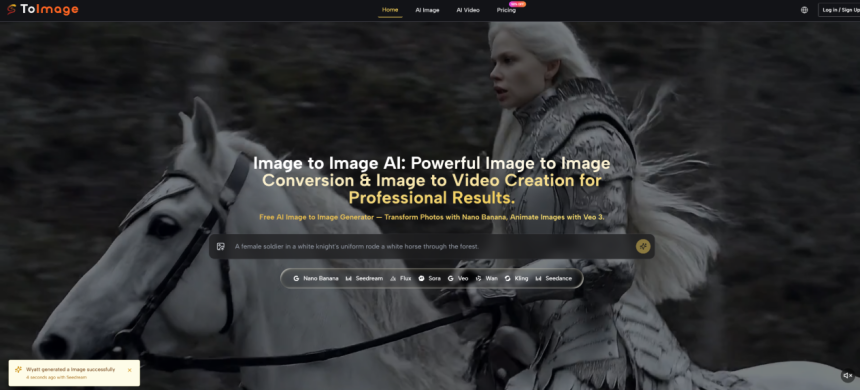
For many creators, the hardest part of visual work is not getting ideas. It is getting from a rough source image to something usable without opening three different tools, rebuilding the same prompt over and over, or settling for an edit that looks technically correct but creatively flat. That is why Image to Image feels like a meaningful shift. Instead of treating editing as a chain of disconnected tasks, it turns one uploaded image into a flexible starting point for restyling, enhancement, and visual reinterpretation inside a single workflow.
What makes that shift worth paying attention to is not just convenience. It is the way the product reframes image editing from correction to transformation. A source image is no longer the final asset that needs minor cleanup. It becomes raw material. In practice, that changes the mindset of the user as much as the output itself. You stop asking, “How do I fix this image?” and start asking, “What else can this image become?”
Why Source Images Matter More Now
Traditional editing usually assumes the original image should remain dominant. You sharpen it, remove distractions, or make color adjustments, but the structure of the image stays mostly intact. This newer workflow starts from a different assumption. The uploaded image still matters, but mainly as a guide for composition, subject matter, tone, or intent.
That distinction is important because it lowers the cost of experimentation. A weak draft, an unfinished mockup, or even an ordinary photo can become a strong creative input. You do not need to begin with a perfect asset. You need a useful direction.
From Correction Toward Creative Variation
What stood out to me is that the platform presents image generation less like a repair utility and more like an interpretation engine. You upload an image, describe the change you want, select a model, and generate a new version. That flow is simple, but the implication is larger: the tool is designed for variation, not just cleanup.
For content teams, that matters because most production bottlenecks happen before the final polish stage. Teams often need more options, not just better retouching. A product image may need a new style for social content. A portrait may need a different visual tone for a campaign. A concept sketch may need to look closer to production quality before it is shown to clients.
How Multi Model Choice Changes Outcomes
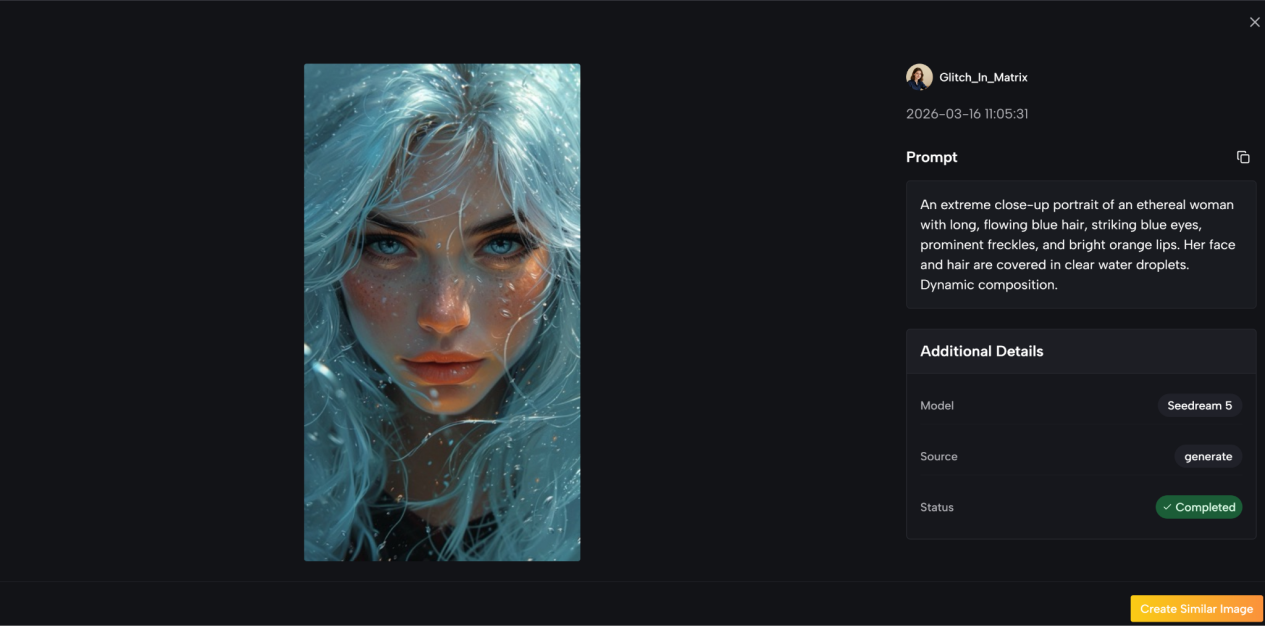
Another meaningful part of the system is model choice. Toimage AI does not frame every generation as if one engine can do everything equally well. Instead, it gives users access to different image models for different creative directions. That matters because visual generation is still uneven across styles and use cases.
In my view, this is one of the more practical decisions in the product. It acknowledges a simple truth: users do not actually want “AI image editing” in the abstract. They want the most convincing result for a specific job.
Where Model Diversity Helps Most
The difference becomes easier to understand in real work:
- A marketing image may need clean commercial polish.
- A character image may need reference consistency.
- A concept visual may need more imaginative reinterpretation.
- A rough photo may need stronger enhancement than restyling.
A single workflow that routes these needs through different models is often more useful than a one model promise that sounds elegant but performs unevenly.
How The Official Workflow Actually Operates
The product flow shown on the site is refreshingly direct. It does not depend on a complicated setup, and that simplicity is part of the appeal.
Step One Upload The Starting Image
The process begins with the source image. That upload is the foundation of the task. Instead of generating from nothing, the system uses the uploaded image as the visual reference for what comes next.
Step Two Describe The Intended Change
After upload, the user adds a prompt describing what should change. This is where the creative direction enters the process. The instruction can focus on style, composition, atmosphere, or enhancement, depending on the goal.
Step Three Choose The Right Model
The next step is model selection. This is important because the platform is built around multiple image models rather than one fixed engine. The model you choose shapes the result, which means the workflow is not only about prompting well but also about choosing the right generation route.
Step Four Generate And Review Outputs
After that, the system generates a new image based on the uploaded source, the written instruction, and the chosen model. From there, the user reviews the output and decides whether it is ready or whether another pass is needed.
Why This Four Step Flow Works
What I like about this structure is that it removes unnecessary interface complexity while preserving meaningful creative control. There are only a few actions, but each one matters. Upload controls context. Prompt controls intent. Model controls interpretation. Output review controls quality.
That is a stronger system than adding dozens of sliders that create the illusion of precision without improving the actual result.
What The Product Seems To Prioritize
Based on the way the site presents the experience, the product appears to prioritize three things: flexibility, controllability, and production speed.
Flexible Input Becomes Better Creative Leverage
The source image can work as a rough concept, a near final asset, or a reference for a bigger creative shift. That broad usefulness is one reason the product is easy to imagine inside real content pipelines.
Reference Driven Consistency Matters
One detail that deserves attention is support for multiple reference images in some model workflows. That may sound technical, but the benefit is easy to understand. When consistency matters across style, identity, or brand tone, extra references can reduce drift. For creators working on a repeatable visual language, that is more valuable than raw novelty.
Commercial Readiness Shapes Practical Value
The site also emphasizes commercial usage rights and watermark free outputs. That is not the most glamorous product detail, but it is one of the most practical. A beautiful result with unclear usage terms is hard to deploy in real business work. A usable result with clear permissions is often more valuable than a technically better image trapped in uncertainty.
Where It Differs From Simpler Editing Tools
A useful way to understand the product is to compare it with older editing logic.
| Aspect | Traditional Editing Tools | This Image Workflow |
| Starting point | Manual adjustment of an existing asset | Uploaded image becomes creative input |
| Main action | Retouching and correction | Transformation and reinterpretation |
| Output style | Usually one refined version | Multiple possible visual directions |
| Control method | Sliders, masks, layer work | Prompt plus model selection |
| Creative speed | Slower for broad variation | Faster for concept expansion |
| Best fit | Fine manual edits | Visual iteration and style change |
The point is not that one approach replaces the other. Manual editing still matters. But this workflow is better suited to the earlier and messier stages of content creation, where direction matters more than pixel perfection.
Where It Fits In Real Creative Work
This kind of image workflow makes the most sense when teams need options quickly without building every variation from scratch.
Marketing Teams Need Faster Variation
A brand may start with one product image and need several campaign directions. One version should feel premium. Another should feel lifestyle driven. Another may need a more dramatic visual style for paid ads. In a standard workflow, that can become a long back and forth between briefing and revision. Here, the same starting image can branch faster.
Design Exploration Becomes Less Expensive
For concept work, speed matters because many directions will be rejected. A rough scene, character idea, or packaging concept does not need to be perfect at first. It needs to be legible enough to test. This makes image to image generation useful not because it guarantees the final answer, but because it lowers the cost of exploring ten possible answers.
Small Teams Gain More Creative Range
Smaller teams often do not lack ideas. They lack time. A tool that combines upload, prompting, model choice, and output generation in one place gives lean teams more room to experiment without building a large production stack around every visual request.
What Users Should Keep In Mind
The product is useful, but it is not magic, and that is worth stating clearly.
Prompt Quality Still Changes Results
Even with a strong source image, vague instructions can produce weak or generic outputs. Better prompts usually lead to better transformations. That does not make the tool harder to use, but it does mean user intent still matters.
Model Choice Can Affect Consistency
Because different models have different strengths, users may need more than one generation pass before finding the right fit. In my reading of the product, this is not a flaw so much as part of the actual craft. Good creative tools do not remove judgment. They shift where judgment happens.
Some Outputs Need Iteration
Not every result will feel finished on the first try. That is especially true when the requested change is ambitious or stylistically specific. The stronger the transformation, the more likely it is that iteration will be part of the process.
Why That Limitation Still Feels Acceptable
In practice, this limitation is easier to accept because the workflow itself is light. When iteration is fast, refinement feels like exploration rather than friction.
What This Suggests About Creative Software
The larger takeaway is not just about one tool. It is about where visual software is heading. Creative platforms are moving away from rigid categories like editing, enhancement, and generation as separate products. They are starting to treat all three as parts of one visual decision system.
That is why this model feels timely. It respects the uploaded image, but it does not treat that image as sacred. It treats it as a launch point. For creators, marketers, and small teams, that mindset may be the real value. The tool does not simply help you make an image better. It helps you ask a more useful question: what is the strongest version this image could become?

Lynn Martelli is an editor at Readability. She received her MFA in Creative Writing from Antioch University and has worked as an editor for over 10 years. Lynn has edited a wide variety of books, including fiction, non-fiction, memoirs, and more. In her free time, Lynn enjoys reading, writing, and spending time with her family and friends.