

Music apps split into two rough camps. There are the curated streaming services built around licensed studio albums, and there are the video platforms where a decade of live sets, fan uploads, covers and remixes pile up without much order. Most listeners end up juggling both, one app for the clean discography and a browser tab for the session recording nobody ever pressed to vinyl.
That split is the gap YouTube Music tries to close. Published under the name Google LLC, it’s described in its own store listing as the official YouTube app built just for music, which is a fair summary of what it does: pull the music layer out of the world’s largest video archive and present it as a streaming service.
What the catalog holds
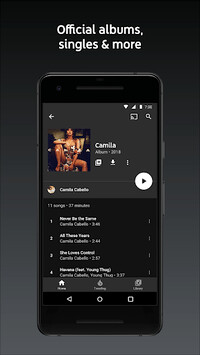
The practical difference shows up the moment you search for an artist. Alongside the official releases you get singles, live performances, covers and remixes sitting in the same results, which matters if the version stuck in your head is a festival recording rather than the album cut.
Search also handles the case where you don’t know what you’re looking for. The app lets you search lyrics or just describe the song, which is a more forgiving entry point than typing a half-remembered title and hoping.
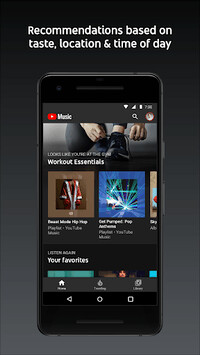
Then there’s the recommendation side. YouTube Music serves playlists based on context, taste, location and time of day, and The Hotlist tracks what’s trending rather than what an algorithm decided you’d like three months ago.
From phone to desktop
Phone listening is fine for commutes. It’s less fine when you’re eight hours into a work session, the laptop is already open, and every track change means picking up a second device. That’s the point where it makes sense to download YouTube Music for PC and keep the queue on the same screen as the rest of the work.
The desktop case gets stronger once you remember this service carries music videos, not just audio. A phone screen flattens a live performance. A monitor doesn’t.
Running YouTube Music on a PC
Windows users have two routes. The browser version at the service’s web address covers most listening, and for the full mobile app experience there’s the Android emulator approach, where a virtual Android environment runs on your desktop and the app behaves much as it does on a handset.
One thing worth checking either way: audio output. If you’re running the app inside an emulator and your PC switches between headphones, monitor speakers and a USB interface, confirm the virtual environment is pointed at the right device before you blame the app for silence.
Who ends up using it
The obvious audience is anyone already deep in YouTube. If your listening history has been building there for years through playlists and watch sessions, the recommendations arrive already tuned, which is not the case when you start fresh somewhere else.
It also suits the listener whose taste leans toward the unofficial. Mashups, acoustic reworkings, regional releases that never got a wide distribution deal, live bootlegs from a tour that ended a decade ago. A service built strictly on label catalogs can’t carry most of that. This one can, because the uploads were already there.
Background play and offline downloads sit behind the paid tier, as does ad-free listening. That’s the trade people weigh, and better to know it before hitting a paywall mid-playlist.
Entertainment on a bigger screen
There’s a broader shift here that goes past one app. Streaming habits have drifted back toward the desktop for anything involving a screen worth looking at, and music video is squarely in that category. A visualizer or a concert film on a 27-inch display is a different experience from the same file on a phone propped against a coffee cup.
For casual background listening, none of this matters much. Put it on, work, forget it’s running.
But the lyric search scenario is where the desktop setup earns its place. You half-remember two lines from a song you heard in a shop, you type them in, and when something plausible comes back you can scan three or four versions side by side on a full screen, live take against studio cut, before deciding which one belongs in the playlist. That’s a slow, browsing kind of task, and it goes much faster when you’re not thumbing through it on a phone.

Lynn Martelli is an editor at Readability. She received her MFA in Creative Writing from Antioch University and has worked as an editor for over 10 years. Lynn has edited a wide variety of books, including fiction, non-fiction, memoirs, and more. In her free time, Lynn enjoys reading, writing, and spending time with her family and friends.